Toggle navigation
Home
▼ Details
Products and pricing
Chart gallery
User stories
Text analytics
CDC NAMCS Library
Blog
Tutorials
Contact
Sign in
Post Editor
← All help posts
View post
Save
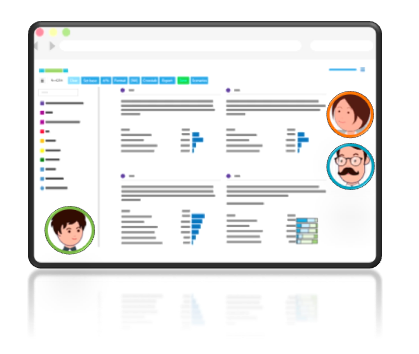The initial design work session is typically held via screen share after we've received your data. It's included in each Expert and Professional project, at no up-charge. You can request a work session at the same time you email us your data file. The purpose of this design work session is to walk through the initial view of a project and any questions that come up, together. The main focus of the session is to create a data view that is appropriate for your project, but it's also an opportunity to get Protobi training as a new user. ## What to expect ### Introductions We'll give a brief introduction to the Protobi team, and ask the same of your team. We'll want to know who's going to be working within the app, so we can better provide support. ### Questions from us We'll ask you some basic questions about your project: * What's your survey length? * What's the sample size? * What's the timing (e.g., programming, soft-launch, fielding)? * Any programming considerations? ### Project organization We'll review every question in your project with you and make any desired adjustments along the way. Looking at your project we will be able to identify opportunities to clean, reshape, and code the data. We'll set up certain queries, and make changes so that your overall project is more efficient. During this process we also collect notes. If there are complexities in your project, we will follow up with solutions. ### Ask us questions At Protobi we like being able to guide you through your first experience within the app. During the design work session we encourage you to ask questions and share your concerns. Questions can range from "How do I change the colors of a graph?" to "How can I perform cluster analysis?" ### New user training The first viewing of your data will give us an opportunity to show you how Protobi works. During the session we'll show you how the app is structured and some features relevant to your project along the way. We don't expect you to know everything after this first exposure. The tutorials site is a learning resource that you can turn to as you continue to explore the app's capabilities. We are also available, should you need additional guidance. ## Schedule a work session You can email us at [support@protobi.com](mailto:support@protobi.com) or schedule a time on our [calendar](https://protobi.com/calendar "Protobi support calendar"). Choose a time that works for you, and receive a calendar invite with screen share info automatically. If you prefer to use another conference system, no worries, update the calendar invite with alternate audio/video details.
Publishing
Date
Status
Published
Draft
Slug
edit
Content
Thumbnail
Categories
Manage
New to Protobi?
Charts
Making Changes
Intermediate topics for editors
Frequently Asked Questions
SERMO Topics
Tutorial Pages
Internal Docs
Data Processing
Videos
Obsolete
GSG Admin
SERMO Admin
GSG Topics
How to...
Basics for viewers
Basics for editors
For project admins
Advanced topics
Assessments
Articles (in-progress)
New and updated articles
Process data in Protobi
superseded
Text open-end questions
Troubleshooting
Tracking studies
Organizing the view
API References
Tools
AI Database
Checking AI...
Convert to MD
Danger zone
Delete